How to Find BEP20 Wallet Address on Trust Wallet & Metamask
Unlocking the power of the Binance Smart Chain using the BEP-20 Wallet Address.
Table of Contents
The BEP20 wallet address has emerged as a critical element within the Binance Smart Chain (BSC) ecosystem. As an evolution of the widely adopted ERC-20 standard on the Ethereum blockchain, BEP-20 tokens play a crucial role in powering decentralized finance (DeFi) and decentralized applications (DApps) within the BSC network.
In this article, we will guide you on how to find BEP20 wallet address on Trust Wallet and Metamask, unravel how to access them on these two top-ranking BEP20 wallets, and explore how they enable seamless transactions and interactions across the Binance Smart Chain. If you’re looking for a place to store your BEP20 tokens, check out our comprehensive list of the best BEP20 wallets.
How to Find Bep20 Wallet Address On Trust Wallet
It’s effortless to find the BEP20 wallet address on Trust Wallet. Below is a step-by-step guide on how to get this address.
Step 1: Download and Install Trust Wallet
- Trust Wallet is a mobile application. To download it to your device, visit Apple Store or Google Play Store, depending on your mobile phone’s operating system.
- Once the app is installed, open it, and click the Get Started button.
- This will redirect you to a password screen. Enter a password you can remember and confirm it on the next screen.
- After that, you will need to store your seed phrase securely. There will be an option to store the phrase on your iCloud or Google Drive or manually. Whichever you choose, make sure you can access it should you need to, but most importantly, ensure that third parties cannot access the phrase without your permission.
- Once this is done, your wallet is ready to use.
Step 2: Get the Wallet Address
- Open your Trust Wallet and click the Wallet icon at the bottom of the package. This will display all the coins you have added to your trust wallet.
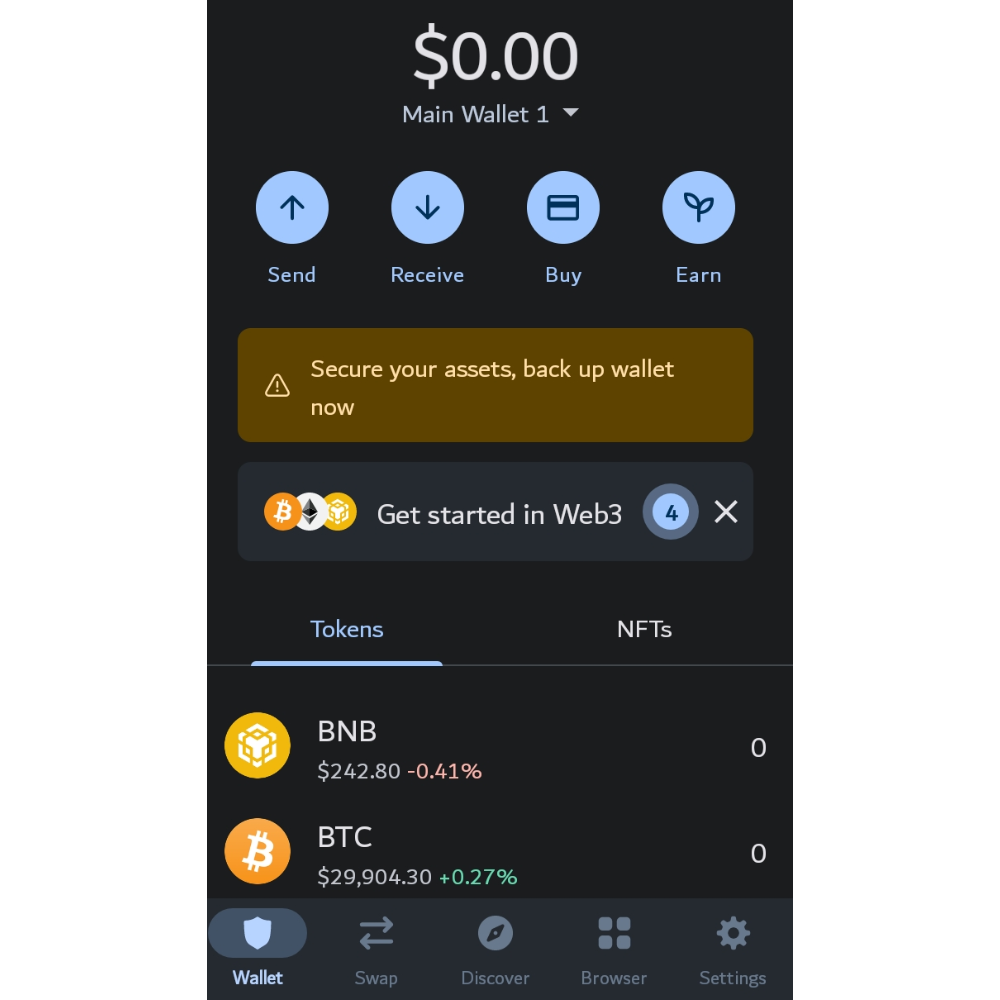
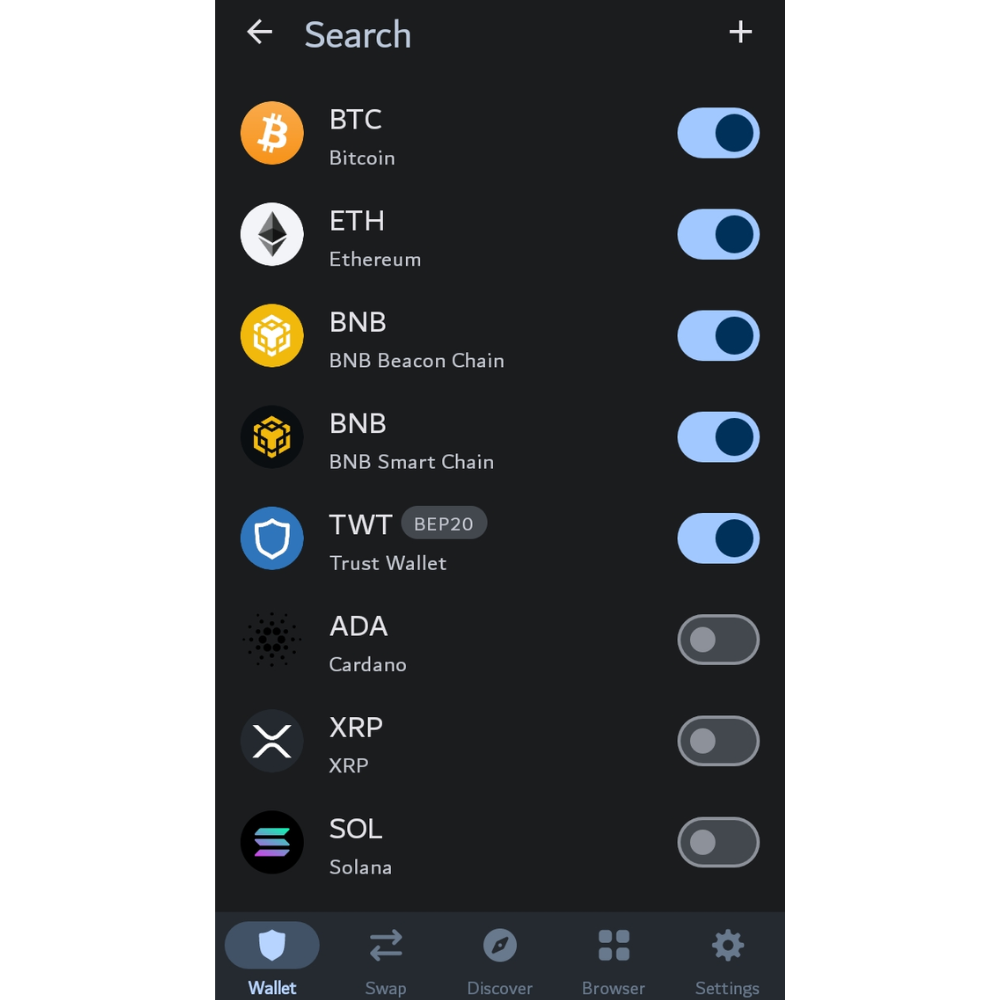
- By default, only Bitcoin (BTC), Ethereum (ETH), BNB Beacon Chain (BNB), BNB Smart Chain (BNB), and Trust Wallet Token (TWT) are automatically added.
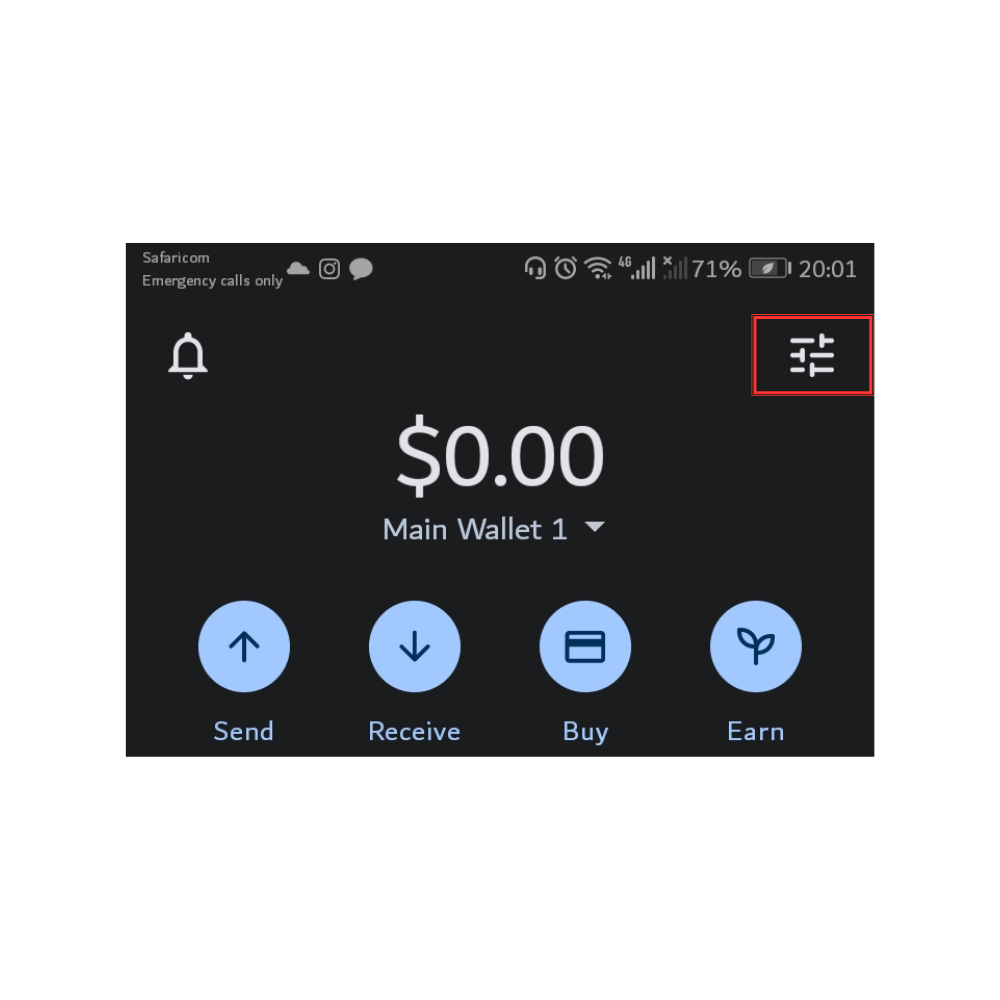
- To add other tokens to your list, click the Toggle icon at the top right of the page. This redirects you to a tab that lists all the coins supported on Trust Wallet.
- Search for the coin you want to add and turn on the Toggle button next to it. When done, press the Return arrow to return to the Wallet tab.
- Now click the coin whose token address you want to get. This will open a tab where you can see that coin’s balance and four buttons under it. Click the Receive button.
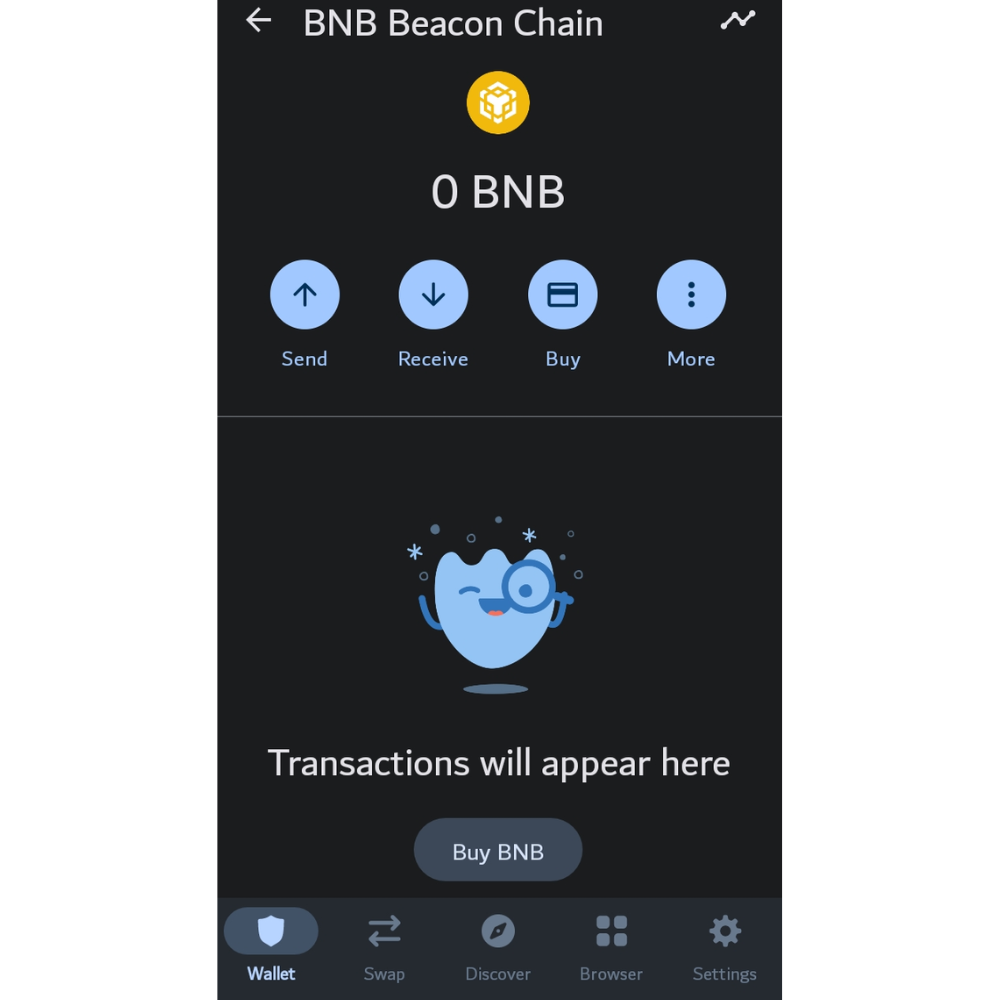
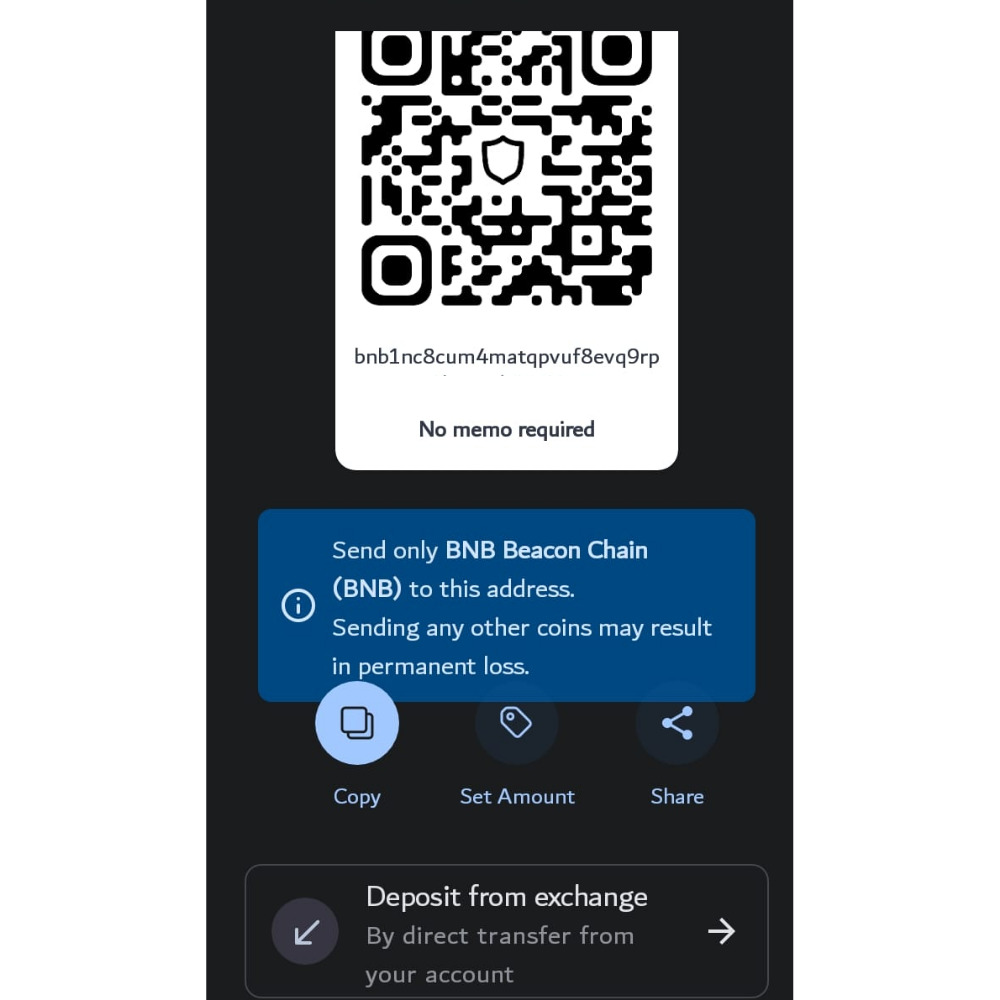
- On the screen that opens, you will see a QR code and, underneath it, an address. This is the token address.
- Click the Copy button to copy the address and ensure when sending the token; the sender sends only the selected token to this address. If they send another cryptocurrency, it will be lost.
How to Get Bep20 Wallet Address on Metamask
Like Trust Wallet, finding a token’s contact address on MetaMask is also very easy. The following steps will guide you on how to obtain this address easily.
Step 1: Download and Install MetaMask Wallet
- Go to the Apple Store or Google Play Store to download the MetaMask Wallet mobile app. Alternatively, visit MetaMask’s website and start with the wallet’s browser extension. For more details on how to set this up, you can refer to this MetaMask Wallet guide.
Step 2: Get the Wallet Address
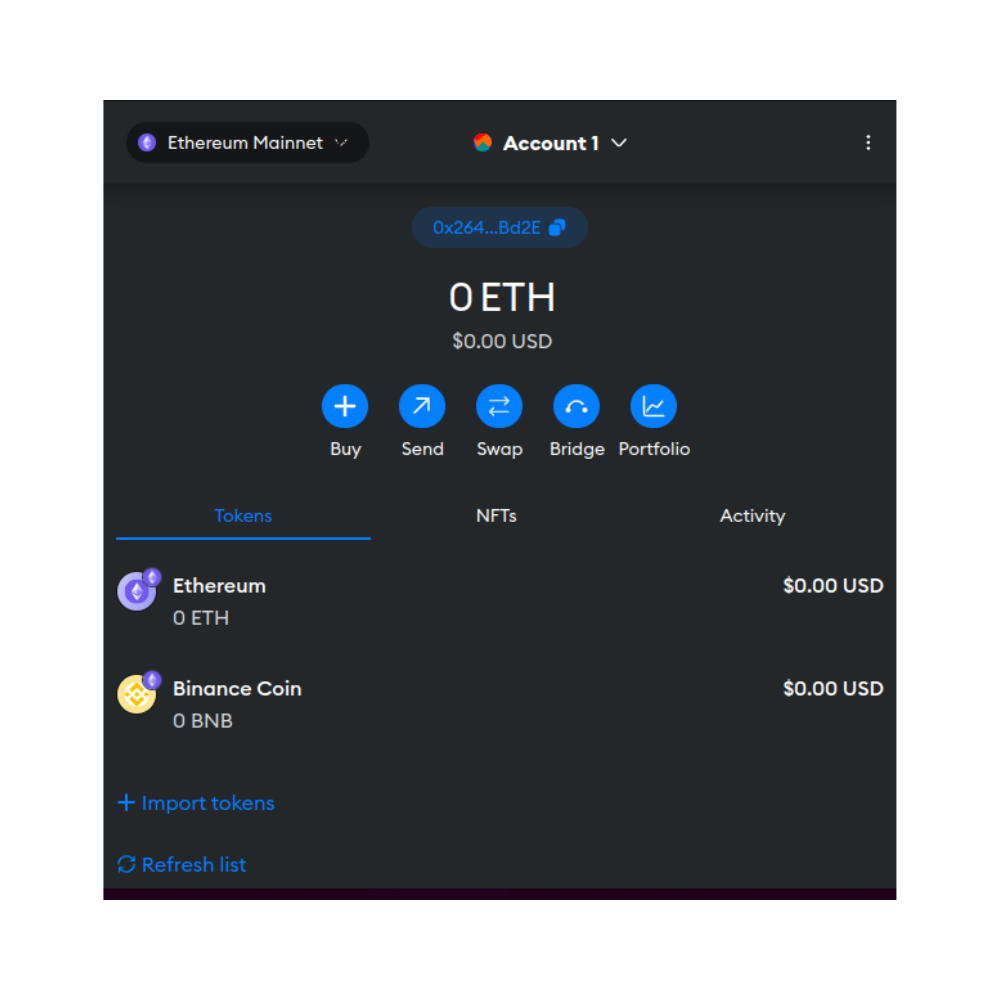
- After installing the app, you will be redirected to the Token dashboard. Here, you can see all the tokens you’ve added to your MetaMask Wallet. By default, only Ethereum is added.
- Click the Import Tokens hyperlink to get other tokens listed on the Token dashboard.
- This will redirect you to a page listing all the coins MetaMask supports. Search for the coin you want to add and select it. Click the Next button.
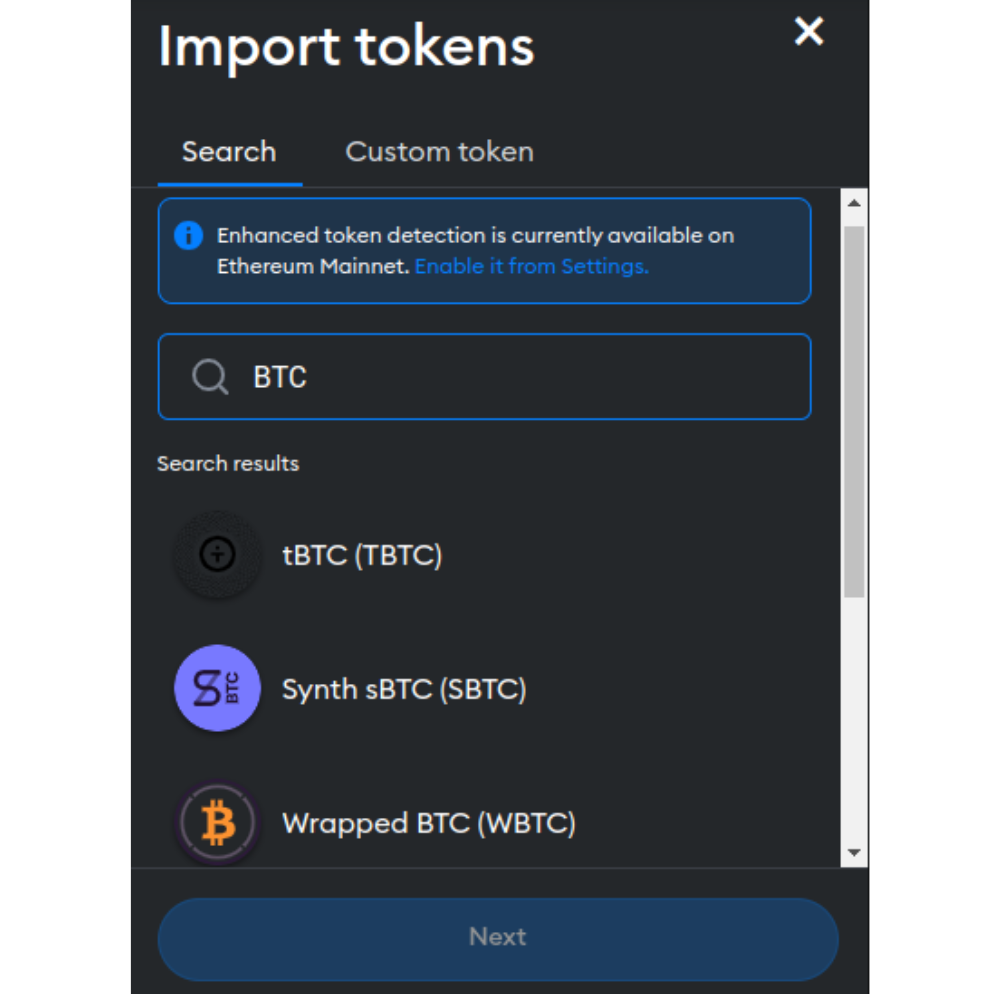
- To complete the importing process click the Import tokens button that appears on the tab that follows.
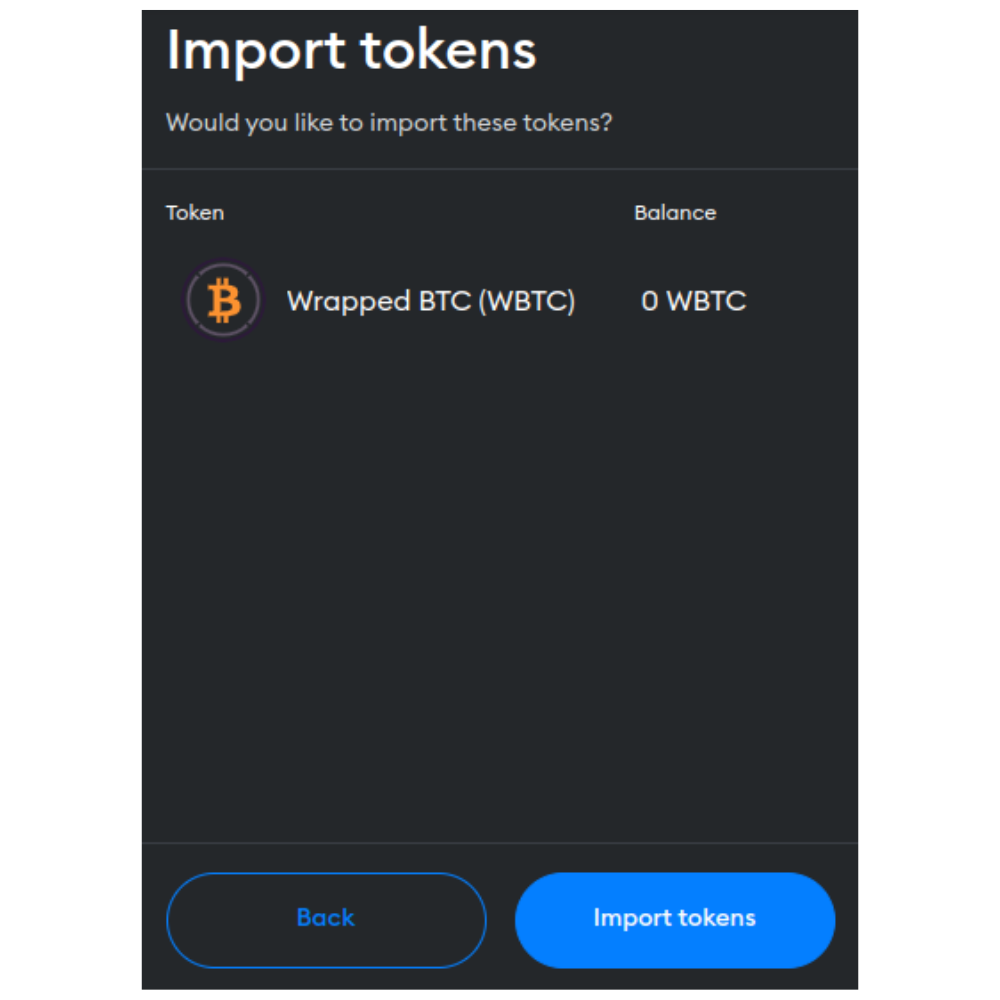
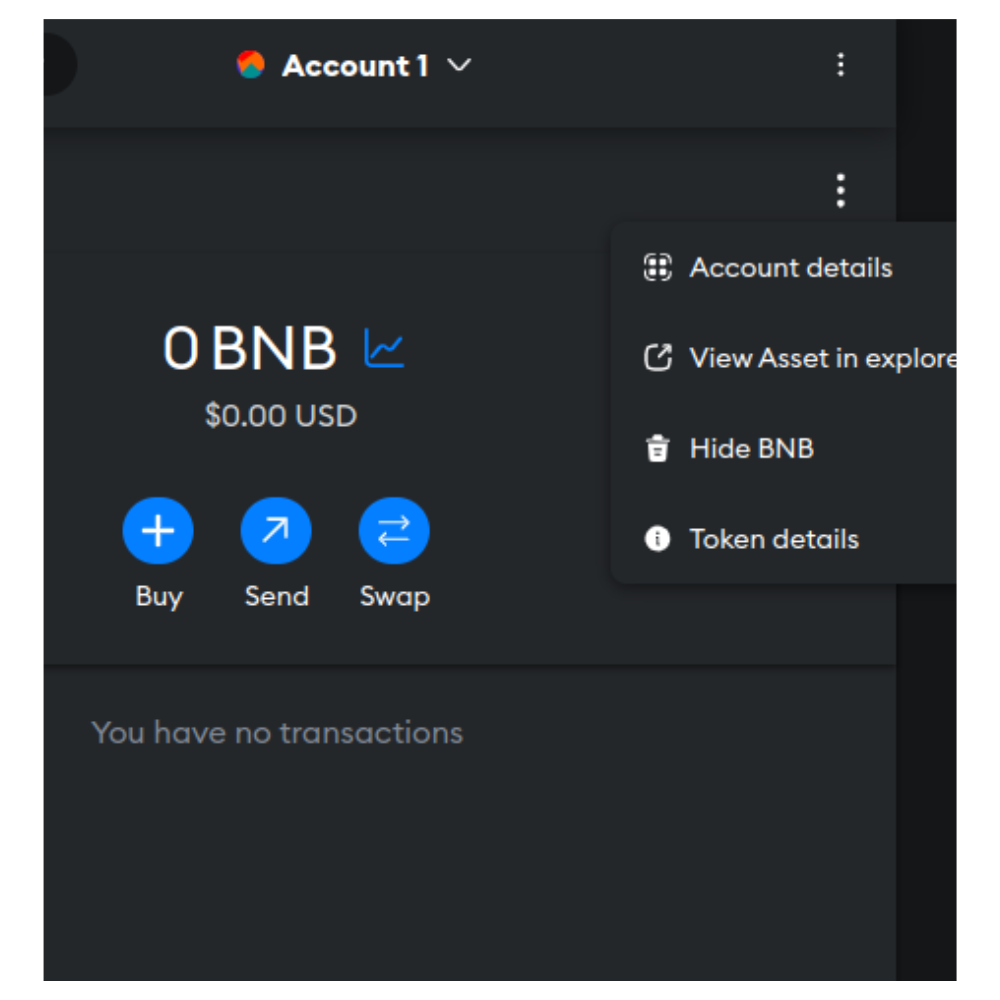
- Once done, return to the Token dashboard and select the coin you wish to import. This will open another tab where you can see the coin’s details. On this tab, click the Three-dot menu and select theToken Details option.
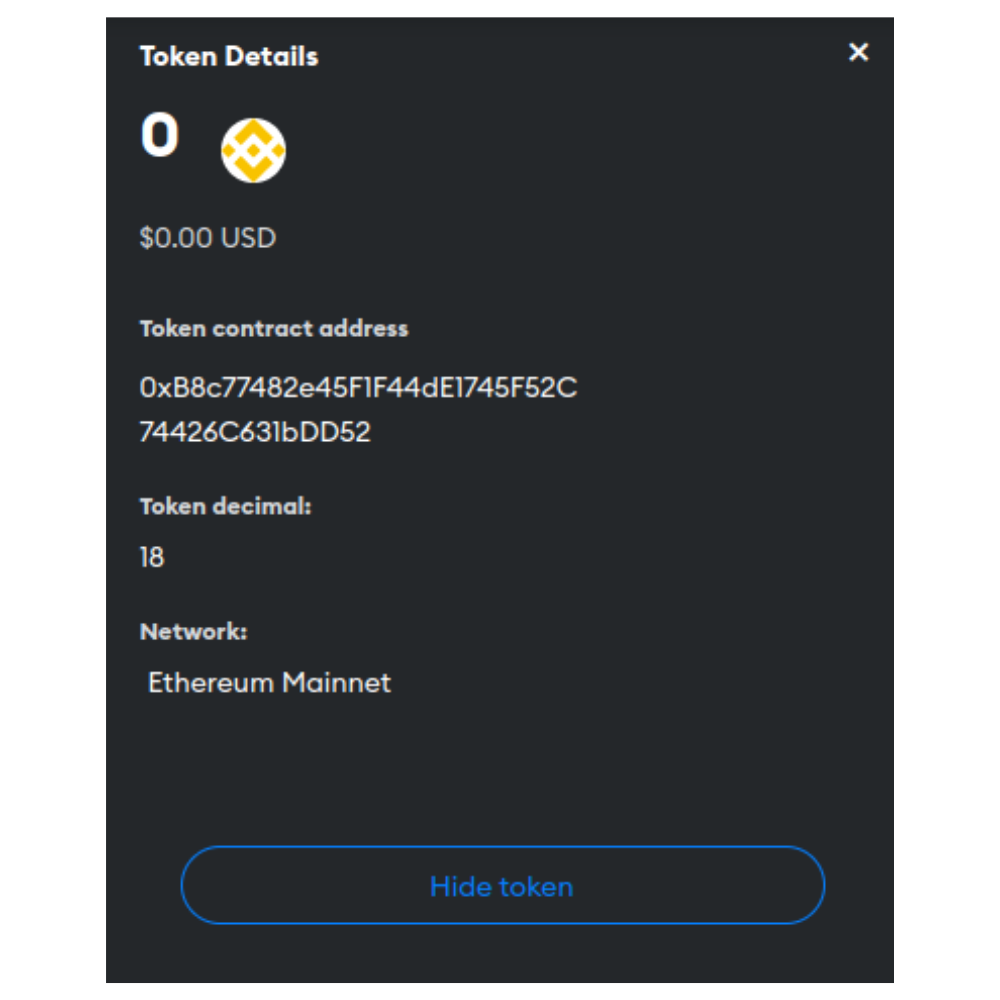
- This will reveal the token address for the selected coin.
What Is BEP20?
BEP stands for Binance Smart Chain Ethereum Protocol, derived from the Ethereum Request for Comments (ERC-20) standard. ERC-20 is a formalized way of proposing improvements and standards for the Ethereum network. The 20 simply represents the unique proposal number for the ERC-20 standard.
Similarly, the 20 in BEP20 represents the unique proposal number for the BEP20 standard. The BEP20 is a technical standard that applies tokens on the Binance Smart Chain (BSC), a blockchain network developed by Binance, one of the largest cryptocurrency exchanges in the world.
The BEP20 standard implements a set of rules and guidelines that enable token developers to create and deploy their tokens on the Binance Smart Chain. These tokens can represent digital assets, utility tokens, stablecoins, and various other forms of value. BEP20 tokens facilitate various use cases, including decentralized finance (DeFi) protocols, gaming assets, non-fungible tokens (NFTs), and more.
BEP20 tokens share similar functions and features with ERC-20 tokens. For instance, both tokens are fungible, divisible, and interoperable with various decentralized applications (dApps), exchanges, and wallets that support the respective standards.
FAQs
Does Coinbase support BEP-20?
Most recently, the Coinbase Wallet started supporting BEP20 cryptocurrencies. This digital wallet, provided by one of the largest crypto exchanges in the world, also supports other digital assets, including Ethereum, Polygon, Stellar Litecoin, Dogecoin, Ripple, and tokens from layer 2 rollups like Arbitrum and Optimism.
Where can I find my Binance Smart Chain BEP20 wallet address?
You can easily find your BEP20 wallet address on MetaMask or Trust Wallet. These two digital wallets support BEP20 tokens, making it easy for users to locate the addresses. Alternatively, you can use blockchain explorers like BscScan.
Is MetaMask a BEP20 wallet?
Yes. MetaMask is one of the leading BEP20 wallets. It supports, amongst other coins, multiple BEP20 tokens, including Binance Coin (BNB), Binance USD (BUSD), Wrapped BNB (WBNB), and PancakeSwap(CAKE).
Read more about
Want to be a crypto expert? Get the best of Coinwire straight to your inbox.
Get daily crypto news updates + weekly roundups on our most important stories.
Bep 20 wallet address где взять мета маск
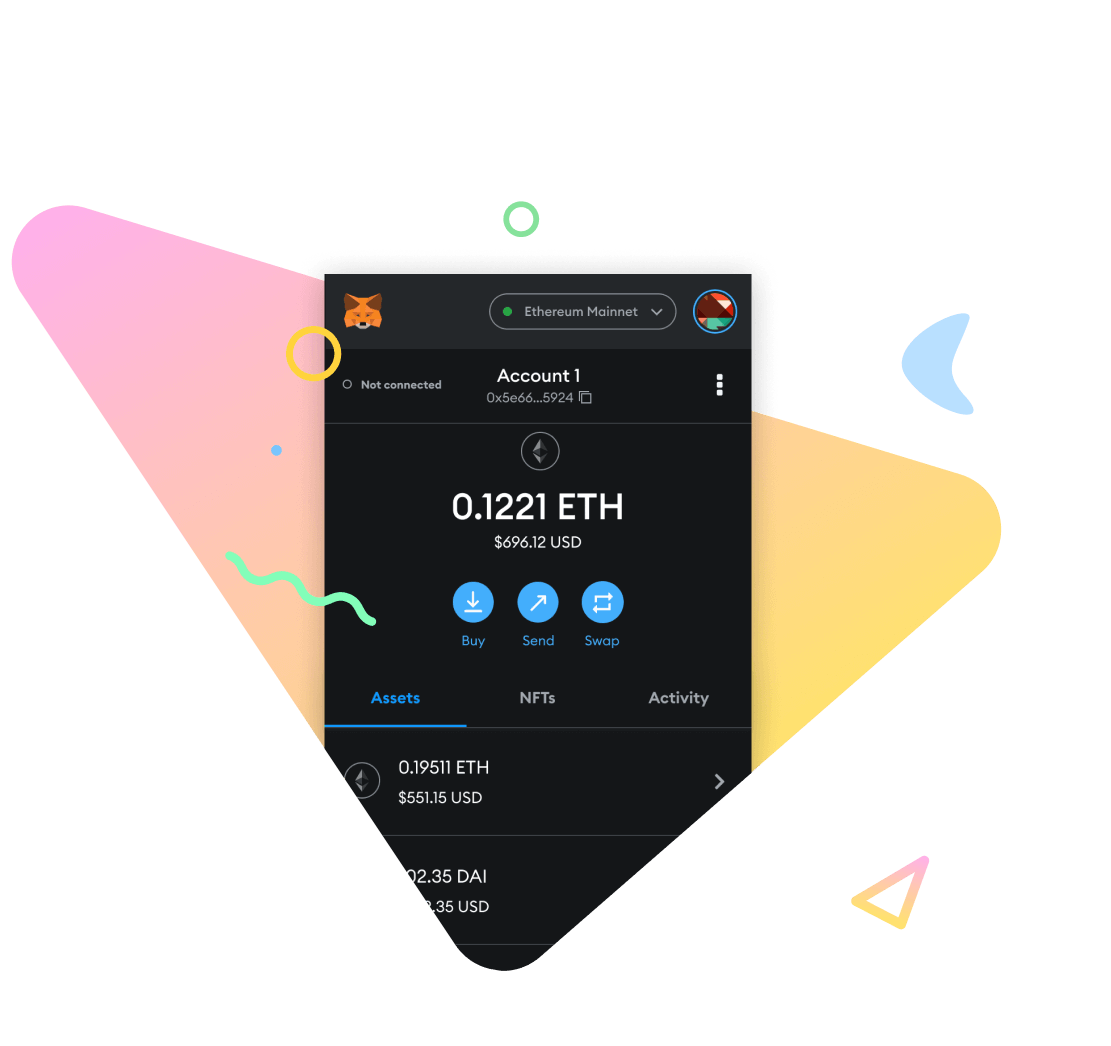
Start exploring blockchain applications in seconds. Trusted by over 100 million users worldwide.

Learn More
Buy, store, send and swap tokens
Available as a browser extension and as a mobile app, MetaMask equips you with a key vault, secure login, token wallet, and token exchange—everything you need to manage your digital assets.
Explore blockchain apps
MetaMask provides the simplest yet most secure way to connect to blockchain-based applications. You are always in control when interacting on the new decentralized web.
Own your data
MetaMask generates passwords and keys on your device, so only you have access to your accounts and data. You always choose what to share and what to keep private.
Get started
What is MetaMask?

Your key to blockchain applications
MetaMask is the leading self-custodial wallet. The safe and simple way to access blockchain applications and web3. Trusted by millions of users worldwide.





Developers
MetaMask is powered by a strong community from across the globe. Interested in contributing? Find out how and what to contribute using the resources below.
Shop MetaMask Swag
Receive our Newsletter
Sign up to receive updates and announcements
Инструкция: как добавить Binance Smart Chain (BSC) в кошелек MetaMask
MetaMask один из самых популярных крипто-кошельков в мире, на сегодняшний день количество установок пользователями более 7 миллионов. Подробный обзор кошелька с пошаговой инструкцией по установке и настройке читайте здесь. В этой статье я расскажу как добавить в МетаМаск Binance Smart Chain (BSC), чтобы получить возможность использования токенов работающих в стандарте BEP-20, в том числе нативного токена биржи binance — монеты BNB.
20 показов
337K открытий
Сегодня на BSC построены множество приложений: децентрализованная биржа PancakeSwap, биржа и платформа NFT BakerySwap, маркет децентрализованных финансов Venus и многие другие. MetaMask с добавленной BSC отлично подходит для работы с этими платформами.
Чтобы добавить сеть BSC нужно разблокировать кошелек МетаМаск и кликнуть по логотипу аккаунта в правом верхнем углу.
Далее выбираем в меню пункт «Настройка»
Прослистываем вниз до раздела «Сети» и кликаем на него.
После этого мы увидим список всех добавленных сетей, кликаем на кнопку «Добавить сеть».
Перед нами форма для добавления сети с пустыми полями, заполняем по образцу.
Имя сети: Binance Smart Chain BEP-20
Новый URL RPC: https://bsc-dataseed.binance.org/
Идентификатор цепочки: 56
Символ валюты: BNB
URL-адрес проводника блока: https://bscscan.com
Имя сети можно задать любое.
После заполнения всех полей, нажимаем «Сохранить».
Поздравляю, вы добавили Binance Smart Chain в ваш MetaMask и теперь в нем можно хранить токены стандарта BEP-20.
Как пополнить MetaMask токенами Binance (BNB)
Пополнить кошелек монетами BNB можно несколькими способами:
- купить токены на бирже Huobi;
- перевести токены с другого кошелька;
- купить токены в обменнике.
Самый простой и безопасный способ — купить BNB на официальном сайте биржи Huobi, а после этого сделать перевод на свой МетаМаск. На бирже покупку можно совершить при помощи кредитных и дебетовых карт (Visa, MasterCard) или в P2P (от пользователя к пользователю) платформе в которой биржа выступает гарантом сделки.
Покупка в обменнике может быть самым выгодным вариантом, для поиска обменника можно использовать агрегатор, например – bestchange.ru
Полезный пост? Отблагодарить автора можно здесь.
Если вам понравилась эта инструкция – подписывайтесь. В своих постах разбираю интересные проекты, такие как Polkadot и Cosmos, рассматриваю кошельки для криптовалют, например Метамаск, ну и просто пишу как лучше купить биткоин и другую криптовалюту.
95 комментариев
Написать комментарий.
Добрый день! Подскажите пожалуйста. Вчера с Траста на Метамаск отправил эфир, но до сих пор ничего не пришло. Я что-то сделал не так?
Развернуть ветку
Самое простое – посмотреть транзакцию, например здесь https://etherscan.io/
Проверьте, что в Метамаске включена та же сеть на которую отправляли.
Etherscan allows you to explore and search the Ethereum blockchain for transactions, addresses…
etherscan.io
Развернуть ветку
6 комментариев
здравствуйте, вы смогли решить проблему?
Развернуть ветку
то есть btcb?
а на бинансе btc конвертировать в btcb?
Развернуть ветку
Вероятно BTCB, других токенизированных биткоинов в сети BSC я не знаю.
По моему, ничего дополнительно конвертировать не надо, просто выбираете сеть при выводе, но лучше уточнить это на бирже.
Ну и отправлять тестовые транзакции, низкие комиссии сети BSC это позволяют.
Развернуть ветку
2 комментария
Приветствую вас! Спрошу как человек далёкий от темы крипты, но заинтересованый в понимании. Перевел USDT на кошелек в Metamask. Транзакция в Binance отобразилась как выполненная. Но счёт на меtamask -0$
Почитал комменты и попробовал добавить сеть как тут указано. Подумал что если купил с Binance то проблема в этом. Но деньги так и не отобразились
А ГДЕ ВЗЯТЬ АДРЕС BEP20.
Оказывается многие из вас не понимают где взять BEP20 адрес, чтоб забирать аирдропы. В этой статье я подробно все объясню.
Что такое адрес BEP20?
BEP20 (он же BSC) — это стандарт токенов сети Binance Smart Chain. BNB сети BEP20 — это койн, а монетки которые в ней — токены. У всех монеток одинаковый адрес (BEP20), но разные контракты. По такому же принципу работают ERC20, TRC20 и другие сети.
Где взять BEP20 адрес?
Для работы со смарт-контрактами я чаще всего использую кошельки Trust Wallet для телефона, и MetaMask для пк, поэтому объясню на их примере.
Если удобнее работать с телефона, скачиваем приложение Trust Wallet в Google Play или App Store

Делаем кошелек и записываем свою сид-фразу (если потеряете фразу, восстановить кошелек будет невозможно). Когда сделали кошелек, ищем монетку BNB Binance Smart Chain

Нажимаем «Получить» и вот он наш адрес BEP20

Если удобнее с пк, скачиваем расширение с официального сайта кошелька MetaMask — https://metamask.io/. Делаем кошелек и сохраняем сид-фразу. На момент написания статьи по умолчанию в MetaMask нет сети Binance Smart Chain, поэтому ее нужно добавить. Нажимаем «Пользовательский RPC«

Там пишем такие настройки и сохраняем
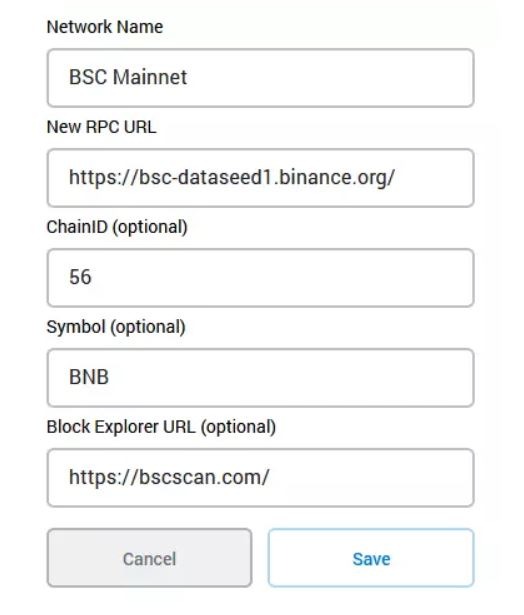
Все, мы добавили сеть BEP20, адрес можно взять тут:

Кошелек не видит токены, что делать?
Некоторые токены кошельки могут не отображать, хотя они уже находятся на вашем адресе. Чтобы это исправить, переходим сюда — https://bscscan.com/ и вписываем свой BEP20 адрес. Далее переходим сюда:

В столбце «Token» видим все токены, которые приходили нам на наш адрес

Находим нужный токен и нажимаем на него. Находим адрес контракта и через него добавляем токен в свой кошелек
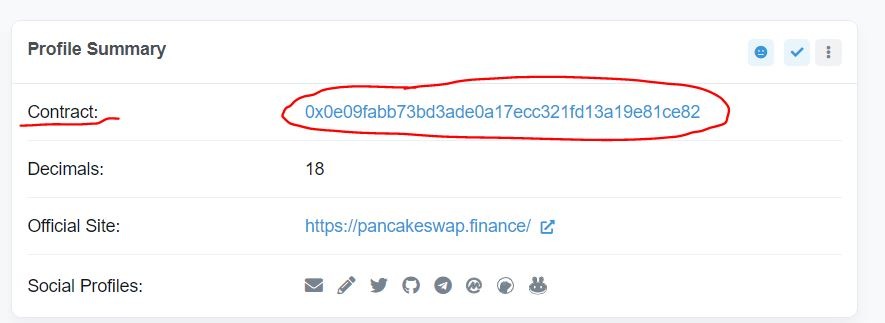
Принцип добавления на Trust Wallet и MetaMask одинаковый